> ## Documentation Index
> Fetch the complete documentation index at: https://docs.staminads.com/llms.txt
> Use this file to discover all available pages before exploring further.
# Installation
> Deploy Staminads on your own infrastructure
Staminads is self-hosted. Choose the deployment method that fits your infrastructure.
## Quick Deploy
TODO: add railway
***
## Docker Compose
Best for: **Self-hosting with everything included** (ClickHouse + Staminads in one stack).
### 1. Clone the repository
```bash theme={null}
git clone https://github.com/staminads/staminads.git
cd staminads
```
### 2. Create `.env` file
```bash theme={null}
# Required - generate with: openssl rand -hex 32
ENCRYPTION_KEY=your-32-character-encryption-key-here
# Your Staminads URL (used for email links)
APP_URL=https://staminads.yourdomain.com
# CORS origins (your Staminads URL)
CORS_ALLOWED_ORIGINS=https://staminads.yourdomain.com
# Optional: ClickHouse password
CLICKHOUSE_PASSWORD=
```
### 3. Start the stack
```bash theme={null}
docker compose up -d
```
Staminads is now running at `http://localhost:3000`.
***
## Dockerfile (External ClickHouse)
Best for: **Using an existing ClickHouse instance** or managed ClickHouse services (ClickHouse Cloud, Aiven, etc.).
### 1. Pull the image
```bash theme={null}
docker pull pierreb/staminads:latest
```
### 2. Run with environment variables
```bash theme={null}
docker run -d \
--name staminads \
-p 3000:3000 \
-e ENCRYPTION_KEY="your-32-character-encryption-key" \
-e APP_URL="https://staminads.yourdomain.com" \
-e CORS_ALLOWED_ORIGINS="https://staminads.yourdomain.com" \
-e CLICKHOUSE_HOST="https://your-clickhouse-host:8443" \
-e CLICKHOUSE_SYSTEM_DATABASE="staminads_system" \
-e CLICKHOUSE_USER="default" \
-e CLICKHOUSE_PASSWORD="your-clickhouse-password" \
pierreb/staminads:latest
```
When using ClickHouse Cloud or other managed services, use `https://` and port `8443` for secure connections.
***
## Environment Variables
### Required
| Variable | Description |
| ----------------- | ------------------------------------------------------------------------------------------------------------ |
| `ENCRYPTION_KEY` | Encryption key for sensitive data. **Must be at least 32 characters.** Generate with: `openssl rand -hex 32` |
| `APP_URL` | Public URL of your Staminads instance (used for email links like password reset, invitations) |
| `CLICKHOUSE_HOST` | ClickHouse server URL (e.g., `http://localhost:8123` or `https://cloud.clickhouse.com:8443`) |
### ClickHouse Connection
| Variable | Default | Description |
| ---------------------------- | ------------------ | ----------------------------------------- |
| `CLICKHOUSE_SYSTEM_DATABASE` | `staminads_system` | Database name for Staminads system tables |
| `CLICKHOUSE_USER` | `default` | ClickHouse username |
| `CLICKHOUSE_PASSWORD` | — | ClickHouse password |
### Server
| Variable | Default | Description |
| -------------------------------- | ------- | --------------------------------------------------------------------------------------------------- |
| `PORT` | `3000` | HTTP server port |
| `JWT_EXPIRES_IN` | `7d` | JWT token expiration (e.g., `7d`, `24h`) |
| `CORS_ALLOWED_ORIGINS` | `*` | Comma-separated allowed origins for CORS. Track endpoints (`/api/track*`) always allow all origins. |
| `CUSTOM_DIMENSIONS_CACHE_TTL_MS` | `15000` | Cache TTL for custom dimensions (milliseconds) |
### SMTP (Optional)
Configure SMTP to enable email features (password reset, team invitations). If not set globally, workspace-level SMTP must be configured.
| Variable | Default | Description |
| ----------------- | ----------- | --------------------------- |
| `SMTP_HOST` | — | SMTP server hostname |
| `SMTP_PORT` | `587` | SMTP server port |
| `SMTP_TLS` | `true` | Use TLS for SMTP connection |
| `SMTP_USER` | — | SMTP username |
| `SMTP_PASSWORD` | — | SMTP password |
| `SMTP_FROM_NAME` | `Staminads` | Sender name for emails |
| `SMTP_FROM_EMAIL` | — | Sender email address |
***
## First Login
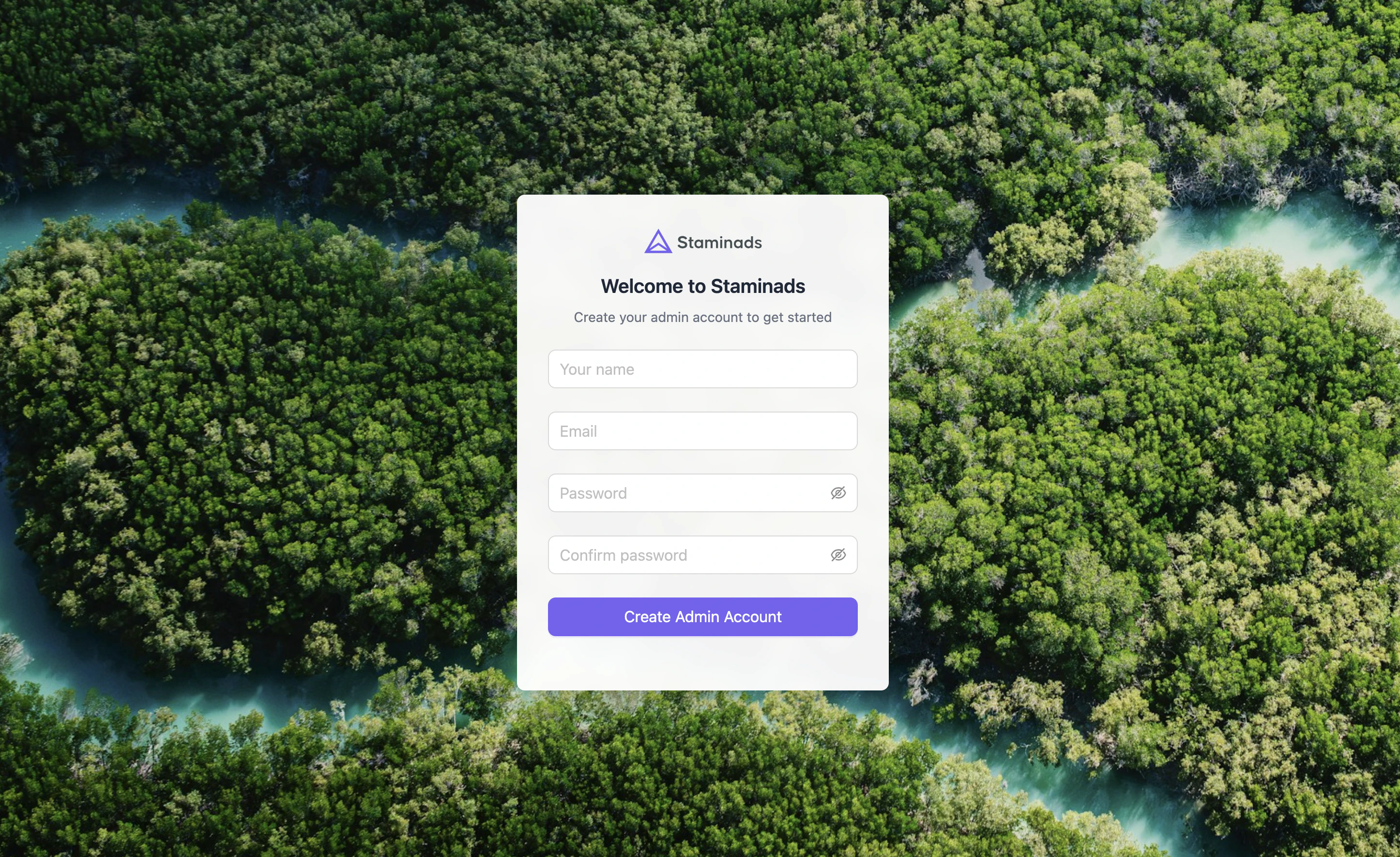
After installation, open your Staminads URL in a browser. You'll be prompted to create your first admin account.
 ## Next Steps
Set up filters to categorize your traffic sources.
Learn about the data you can analyze.
## Next Steps
Set up filters to categorize your traffic sources.
Learn about the data you can analyze.